
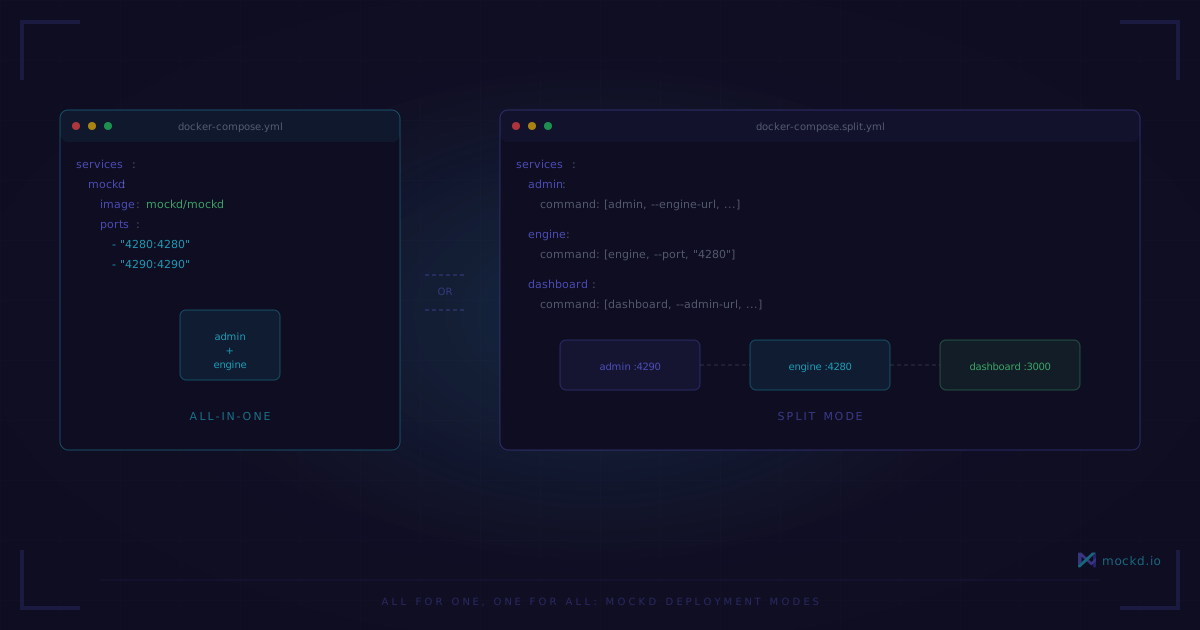
All for One, One for All: mockd Deployment Modes
One container or three. Same config, same mocks, same dashboard. Docker Compose files for both — copy, paste, done.
I spent a week last year trying to decide whether our team’s mock server needed its own admin process or if everything should live in one container. We were three developers. It was not a decision that warranted a week.
With mockd, you can just pick one and switch later. Here’s the all-in-one:
services:
  mockd:
    image: ghcr.io/getmockd/mockd:v0.5.1
    ports:
      - "4280:4280"
      - "4290:4290"
    volumes:
      - ./mocks:/config:ro
    environment:
      MOCKD_CONFIG: "/config/mocks.yaml"
      MOCKD_LOG_LEVEL: "info"
    healthcheck:
      test: ["CMD", "mockd", "health", "--admin-port", "4290"]
      interval: 30s
      timeout: 5s
      retries: 3
      start_period: 5s
    deploy:
      resources:
        limits:
          cpus: "1.0"
          memory: 256M
    security_opt:
      - no-new-privileges:true
    read_only: true
    tmpfs:
      - /tmp:size=10M,mode=1777
Copy that into a docker-compose.yml. Run docker compose up. Mock server on port 4280, admin API on port 4290. Read-only filesystem, no privilege escalation, 256MB memory cap. Done.
What’s in the container
One static binary. 43MB. Built on gcr.io/distroless/static-debian12:nonroot — no shell, no package manager, no libc. There’s nothing in the container to exploit because there’s almost nothing in the container at all. The default CMD is ["start", "--port", "4280", "--admin-port", "4290"].
Loading mocks
Drop a config file in your ./mocks directory:
version: "1.0"
mocks:
  - id: list-users
    type: http
    http:
      matcher:
        method: GET
        path: /api/users
      response:
        statusCode: 200
        headers:
          Content-Type: application/json
        body: |
          [{"id": "{{uuid}}", "name": "{{faker.name}}", "email": "{{faker.email}}"}]
Every config needs a version, every mock needs an id. The template expressions generate fresh data on each request. No static fixtures going stale.
curl http://localhost:4290/health
# {"status":"ok","uptime":...}

curl http://localhost:4280/api/users
# [{"id": "a3f1...", "name": "Jordan Rivera", "email": "jordan@example.com"}]

mockd import mocks.yaml
# Parsed 3 mocks from mocks.yaml (format: mockd) / Imported 3 mocks to server

mockd list
# Table with ID, TYPE, PATH, METHOD, STATUS, ENABLED
This single-container mode handles everything most teams need. I ran it this way for months before we outgrew it.
When one container isn’t enough
The all-in-one mode starts to feel tight when your QA team wants isolated mocks per environment, when you’re simulating multiple backend services on separate ports, or when you need to scale mock capacity without duplicating admin state.
The answer: one admin, multiple engines. The admin holds mock definitions. The engines serve traffic. Create a mock through the admin, every connected engine picks it up.
The split: admin + engines
mockd up replaces mockd start. Each process gets its own config file.
Admin config (admin.yaml):
version: "1.0"
admins:
  - name: main
    port: 4290
    auth:
      type: none
Engine config (engine.yaml) — the url field is the only link between them:
version: "1.0"
admins:
  - name: main
    url: http://admin:4290
engines:
  - name: worker
    httpPort: 4280
    host: engine
    admin: main
Here’s the docker-compose.yml — one admin, two engines:
services:
  admin:
    image: ghcr.io/getmockd/mockd:v0.5.1
    command: ["up", "-f", "/etc/mockd/admin.yaml", "--log-level=info"]
    volumes:
      - ./admin.yaml:/etc/mockd/admin.yaml:ro
    ports:
      - "4290:4290"
    healthcheck:
      test: ["CMD", "/usr/local/bin/mockd", "health", "--admin-port", "4290"]
      interval: 5s
      timeout: 3s
      start_period: 5s
      retries: 5

  engine:
    image: ghcr.io/getmockd/mockd:v0.5.1
    command: ["up", "-f", "/etc/mockd/engine.yaml", "--log-level=info"]
    volumes:
      - ./engine.yaml:/etc/mockd/engine.yaml:ro
    depends_on:
      admin:
        condition: service_healthy
    ports:
      - "4280:4280"

  engine-2:
    image: ghcr.io/getmockd/mockd:v0.5.1
    command: ["up", "-f", "/etc/mockd/engine-2.yaml", "--log-level=info"]
    volumes:
      - ./engine-2.yaml:/etc/mockd/engine-2.yaml:ro
    depends_on:
      admin:
        condition: service_healthy
    ports:
      - "4281:4280"
Engine 1 on 4280, engine 2 on 4281. Both connect to the same admin. Create a mock via the CLI, both engines serve it. No syncing, no shared volumes.
Workspaces add logical isolation within the same admin:
mockd workspace create -n "Payment API"
mockd workspace use <id>
# Switched to workspace...
Tip: You can also use
--workspace <id>on any command to scope a single operation without switching the persistent context.
Each workspace has its own mocks, stateful resources, and request logs — true isolation, not just labeling. Point one engine at your payment workspace, another at your user workspace — single admin, full isolation.
Which mode to pick
All-in-one when you’re a solo dev or small team, running mocks in CI, or you want the simplest setup.
Split architecture when multiple teams share mock definitions, you need engines on different ports, or you want to scale mock capacity independently from admin state.
The config format is identical either way — switching costs you nothing. I started with all-in-one and stayed there for six months. The split only became necessary when different squads wanted their own environments without maintaining separate config files.
The honest part
mockd doesn’t include a service mesh or sidecar proxy. If you need traffic routing, mTLS, or circuit breaking at the network level, you still need Envoy, Linkerd, or similar. mockd mocks your APIs — it doesn’t replace your infrastructure.
There’s no built-in auto-scaling. Scaling engines means Kubernetes HPA, Docker Swarm, or whatever orchestrator you use.
In the split architecture, if the admin goes down, existing engines keep serving their last-known mocks — but you can’t create or update mocks until the admin is back. It’s a single point of management, not a single point of serving.
The distroless base image means no shell. You can’t docker exec in and poke around. Use curl http://localhost:4290/health and log output instead.
Learn more
- Mock a REST API in 30 seconds — start here if you haven’t used mockd before
- mockd in GitHub Actions — CI/CD integration with the all-in-one mode
- Mock server-first environment pipeline — designing dev workflows around mock servers
Links
- GitHub: github.com/getmockd/mockd (Apache 2.0)
- Docs: docs.mockd.io
- Install:
brew install getmockd/tap/mockdorcurl -fsSL https://get.mockd.io | sh
Try mockd
Multi-protocol API mock server. HTTP, gRPC, GraphQL, WebSocket, MQTT, SSE, SOAP.