
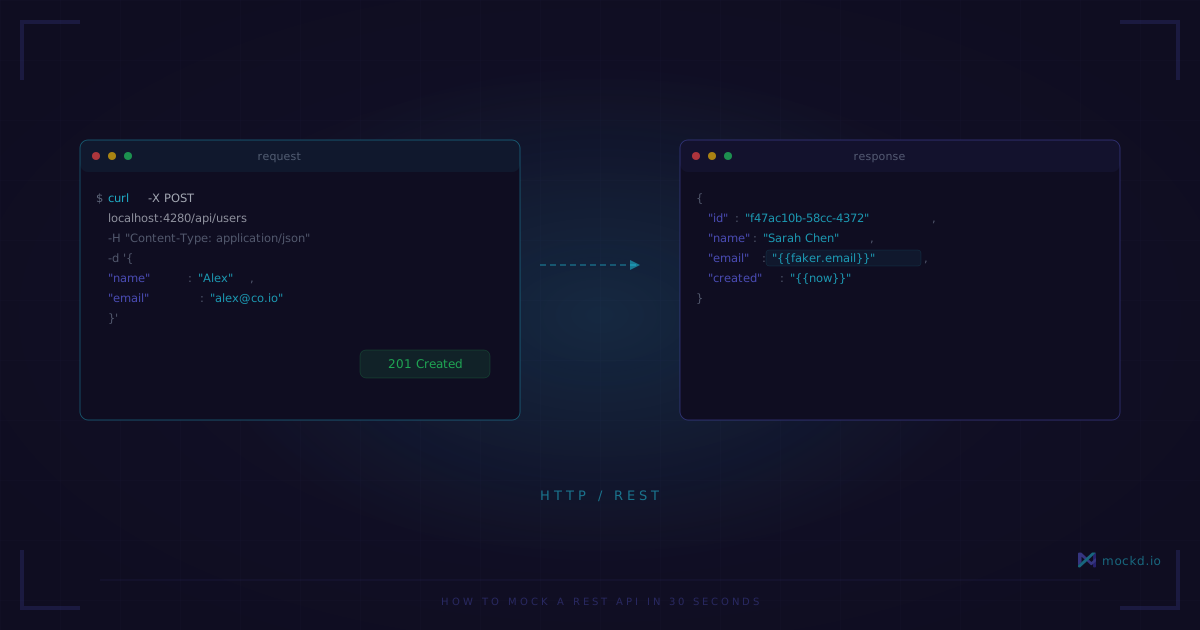
How to Mock a REST API in 30 Seconds
No code, no config files, no dependencies. Create a fully functional mock REST API with dynamic responses, custom headers, and realistic data in a single command.
Note: mockd’s hosted cloud relay is paused for now. Tunnels still work self-hosted — run your own relay and use
mockd tunnel --relay <host>. Interested in a hosted option? Email sales@mockd.io.
Every REST mocking tutorial I’ve read starts the same way: install Node, npm init, add Express or json-server, create a db.json, configure routes… and twenty minutes later you have a server that returns the same static JSON on every request.
I wanted something faster. Something that feels like curl but for creating APIs instead of calling them.
The 30-second version
Install mockd:
# macOS
brew install getmockd/tap/mockd

# Linux / Windows
curl -fsSL https://get.mockd.io | sh
Start the server and create your first endpoint:
# Start mockd
mockd start

# Create a mock endpoint
mockd add http --method GET
  --path "/api/users"
  --status 200
  --body '[{"id": 1, "name": "Alex"}, {"id": 2, "name": "Jordan"}]'
Test it:
curl http://localhost:4280/api/users[{"id": 1, "name": "Alex"}, {"id": 2, "name": "Jordan"}]That’s it. Working REST endpoint. No files, no config, no dependencies.
Dynamic responses with Faker data
Static JSON gets old fast. Your frontend needs realistic-looking data, and it needs different data on each request. Mockd has 34 built-in Faker types:
mockd add http --method GET
  --path "/api/users/*"
  --status 200
  --body '{
    "id": "{{uuid}}",
    "name": "{{faker.name}}",
    "email": "{{faker.email}}",
    "phone": "{{faker.phone}}",
    "created": "{{now}}",
    "role": "member"
  }'
Every request returns different realistic data:
curl http://localhost:4280/api/users/42{
"id": "f47ac10b-58cc-4372-a567-0e02b2c3d479",
"name": "Sarah Chen",
"email": "sarah.chen@example.com",
"phone": "+1-555-234-5678",
"created": "2026-02-27T14:30:00Z",
"role": "member"
}The * wildcard matches any value in that path segment — so GET /api/users/42 and GET /api/users/99 both hit the same mock. Each call generates fresh Faker data automatically.
Full CRUD in one shot
Most REST APIs need more than GET. Here’s a complete CRUD setup:
# List users
mockd add http --method GET --path "/api/users"
  --body '[{"id":"{{uuid}}","name":"{{faker.name}}"},{"id":"{{uuid}}","name":"{{faker.name}}"}]'

# Create user
mockd add http --method POST --path "/api/users"
  --status 201
  --body '{"id":"{{uuid}}","name":"{{faker.name}}","created":"{{now}}"}'

# Get single user
mockd add http --method GET --path "/api/users/*"
  --body '{"id":"{{uuid}}","name":"{{faker.name}}","email":"{{faker.email}}"}'

# Update user
mockd add http --method PUT --path "/api/users/*"
  --body '{"id":"{{uuid}}","name":"{{faker.name}}","updated":"{{now}}"}'

# Delete user
mockd add http --method DELETE --path "/api/users/*"
  --status 204
Five endpoints, five commands. Your frontend team can start building immediately.
Custom headers and status codes
Need to simulate authentication, pagination, or rate limiting? Add custom headers:
# Paginated response
mockd add http --method GET --path "/api/users"
  --header "X-Total-Count: 142"
  --header "X-Page: 1"
  --header "X-Per-Page: 20"
  --header "Link: </api/users?page=2>; rel="next""
  --body '[{"id":"{{uuid}}","name":"{{faker.name}}"}]'

# 401 for unauthenticated requests
mockd add http --method GET --path "/api/admin/*"
  --status 401
  --body '{"error":"unauthorized","message":"Bearer token required"}'
Request matching: same path, different responses
This is where mockd really separates from json-server and basic mock tools. You can return different responses based on what the client sends — headers, query parameters, body content:
# Return admin data when admin token is present
mockd add http --method GET --path "/api/users"
  --match-header "Authorization: Bearer admin-token"
  --body '{"users":[...],"total":142,"admin":true}'
  --priority 10

# Return limited data for regular tokens
mockd add http --method GET --path "/api/users"
  --match-header "Authorization: Bearer *"
  --body '{"users":[...],"total":20}'
  --priority 5

# Return 401 when no token
mockd add http --method GET --path "/api/users"
  --status 401
  --body '{"error":"unauthorized"}'
  --priority 1
The highest-priority matching mock wins. Same path, different behavior based on headers. Try doing that with a JSON file.
Simulate real-world conditions
Real APIs are slow sometimes. They fail. They timeout. Mockd can simulate all of that:
# Slow response (500ms delay)
mockd add http --method GET --path "/api/search"
  --delay 500
  --body '{"results":[...]}'

# Intermittent failures (chaos engineering)
mockd chaos apply flaky

# Mobile-like conditions
mockd chaos apply mobile-3g
The flaky profile randomly returns 500 errors on ~10% of requests. mobile-3g adds realistic latency. These are the conditions your app will face in production — better to find out during development.
Import from what you already have
If you have an OpenAPI spec or Postman collection, don’t recreate everything:
# Import OpenAPI spec (auto-detected)
mockd import api-spec.yaml

# Import Postman collection (explicit format)
mockd import collection.json -f postman
Mockd generates mock endpoints for every path, method, and example response in your spec. Then you can customize individual endpoints without losing the rest.
Share with your team
Built-in cloud tunnel — no ngrok required:
mockd tunnelTunnel active: https://abc123.tunnel.mockd.io
All 7 protocols forwarded through a single secure connection on port 443Your frontend dev in another timezone can hit the same mock API. Your CI pipeline can use it. One command.
When to use this instead of json-server
I like json-server. It’s simple and it works for basic REST prototyping. But it tops out quickly:
- json-server returns the same data every time. Mockd generates dynamic data with Faker.
- json-server matches by URL path only. Mockd matches on headers, body, query params, regex.
- json-server is REST only. Mockd handles GraphQL, gRPC, WebSocket, MQTT, SSE, and SOAP.
- json-server needs Node.js. Mockd is a single binary with zero dependencies.
If your project needs more than GET /posts, mockd is probably worth the switch. If all you need is a flat JSON file over REST, json-server is fine — use the right tool.
What’s next
- Compare Mockd vs json-server — Full feature comparison
- Mock a gRPC server — Same 30-second setup, different protocol
- All 7 protocols — HTTP, GraphQL, gRPC, WebSocket, MQTT, SSE, SOAP
Try mockd
Multi-protocol API mock server. HTTP, gRPC, GraphQL, WebSocket, MQTT, SSE, SOAP.