
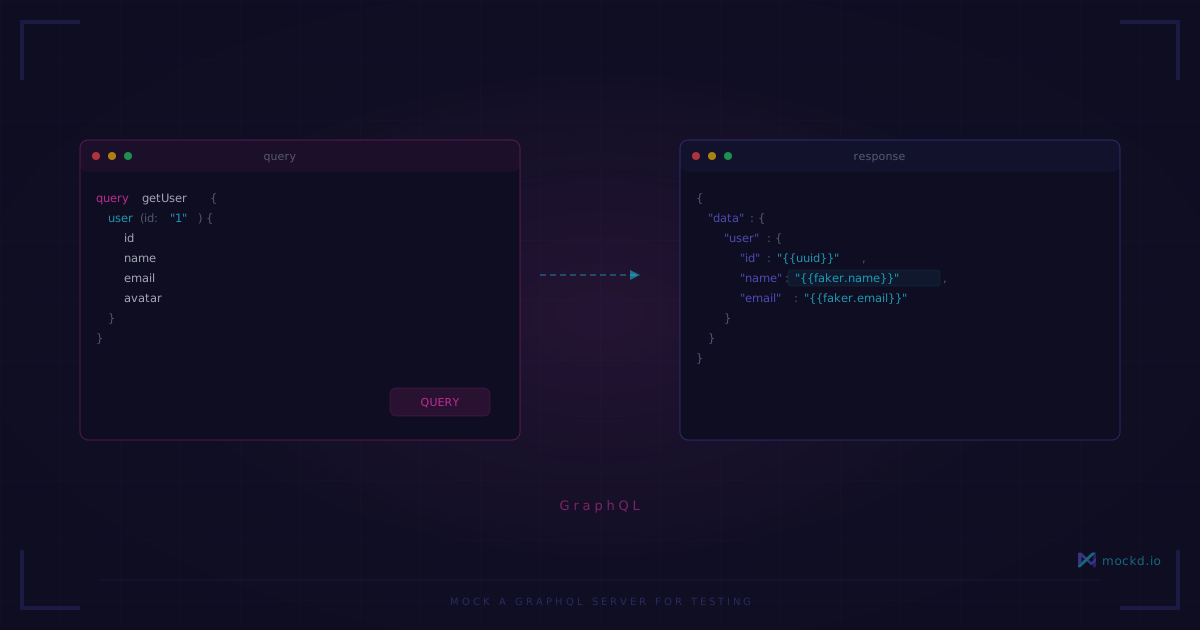
Mock a GraphQL Server for Testing — No Schema Required
Create a mock GraphQL server that handles queries, mutations, and variables. No code generation, no schema stitching, no Apollo Server boilerplate. One command per operation.
Note: mockd’s hosted cloud relay is paused for now. Tunnels still work self-hosted — run your own relay and use
mockd tunnel --relay <host>. Interested in a hosted option? Email sales@mockd.io.
Setting up a mock GraphQL server usually goes like this: install Apollo Server, write a schema, write resolvers that return static data, maybe add a code generator if you want types… and by the time you’re done, you’ve written more mock infrastructure than actual test code.
Mockd takes a different approach. You don’t need a schema. You don’t need resolvers. You define what operations return, and it handles the GraphQL protocol for you.
Quick start
Install mockd:
# macOS
brew install getmockd/tap/mockd

# Linux / Windows
curl -fsSL https://get.mockd.io | sh
Start the server and mock a query:
# Start mockd
mockd start

# Mock a GraphQL query
mockd add graphql --path /graphql
  --operation getUser
  --response '{"data":{"user":{"id":"1","name":"Alex","email":"alex@example.com"}}}'
Test it with curl:
curl -X POST http://localhost:4280/graphql
  -H "Content-Type: application/json"
-d '{"query":"query getUser { user { id name email } }"}'{"data":{"user":{"id":"1","name":"Alex","email":"alex@example.com"}}}That’s a working GraphQL endpoint. No Apollo, no schema definition, no resolvers.
Queries and mutations
Real GraphQL APIs have both. Mockd handles them separately so mutations don’t collide with queries:
# Query: get a user
mockd add graphql --path /graphql
  --operation getUser
  --response '{"data":{"user":{"id":"1","name":"{{faker.name}}","email":"{{faker.email}}"}}}'

# Mutation: create a user
mockd add graphql --path /graphql
  --operation createUser
  --op-type mutation
  --response '{"data":{"createUser":{"id":"{{uuid}}","name":"{{faker.name}}","created":"{{now}}"}}}'

# Query: list users
mockd add graphql --path /graphql
  --operation listUsers
  --response '{"data":{"users":[{"id":"{{uuid}}","name":"{{faker.name}}"},{"id":"{{uuid}}","name":"{{faker.name}}"}]}}'
Each operation is matched by name. Send a getUser query, get user data. Send a createUser mutation, get creation response. Same endpoint, different operations.
Dynamic data with Faker
Static mocks are fine for smoke tests but useless for UI development. You need realistic, varied data. Mockd’s template system works inside GraphQL responses:
mockd add graphql --path /graphql
  --operation searchProducts
  --response '{
    "data": {
      "products": {
        "edges": [
          {
            "node": {
              "id": "{{uuid}}",
              "name": "{{faker.productName}}",
              "price": {{faker.price}},
              "inStock": true,
              "rating": {{random.float(1, 5, 1)}}
            }
          },
          {
            "node": {
              "id": "{{uuid}}",
              "name": "{{faker.productName}}",
              "price": {{faker.price}},
              "inStock": false,
              "rating": {{random.float(1, 5, 1)}}
            }
          }
        ],
        "totalCount": 47
      }
    }
  }'
Every request returns different product names, prices, and ratings. Your frontend gets realistic data to render without you hand-crafting fifty JSON fixtures.
Error responses
GraphQL errors have a specific shape. Mockd returns them properly:
# Not found error
mockd add graphql --path /graphql
  --operation getUser
  --response '{"data":{"user":null},"errors":[{"message":"User not found","path":["user"],"extensions":{"code":"NOT_FOUND"}}]}'

# Authorization error
mockd add graphql --path /graphql
  --operation adminDashboard
  --response '{"errors":[{"message":"Not authorized","extensions":{"code":"FORBIDDEN"}}]}'
To return different responses for the same operation based on variables, use a YAML config file with match conditions. The CLI is best for one-response-per-operation setups.
Multiple operations on one endpoint
This is the standard GraphQL pattern — everything goes through /graphql. Mockd routes by operation name, so you can stack as many operations as you need:
# User operations
mockd add graphql --path /graphql --operation getUser
  --response '{"data":{"user":{"id":"1","name":"{{faker.name}}"}}}'

mockd add graphql --path /graphql --operation updateUser
  --op-type mutation
  --response '{"data":{"updateUser":{"id":"1","name":"{{faker.name}}","updated":"{{now}}"}}}'

# Product operations
mockd add graphql --path /graphql --operation getProduct
  --response '{"data":{"product":{"id":"{{uuid}}","name":"{{faker.productName}}","price":{{faker.price}}}}}'

# Order operations
mockd add graphql --path /graphql --operation createOrder
  --op-type mutation
  --response '{"data":{"createOrder":{"id":"{{uuid}}","status":"pending","total":{{faker.price}},"created":"{{now}}"}}}'
One endpoint, four operations, zero conflicts. The GraphQL spec says one endpoint serves all operations — mockd respects that.
Import from an OpenAPI spec
If your GraphQL API has an associated OpenAPI spec (common with API gateways or federated setups), you can import it:
# Import and auto-generate mocks from an API spec
mockd import api-spec.yaml
Mockd auto-detects the format (OpenAPI 3.x, Swagger 2.0, Postman, HAR, WireMock, WSDL) and generates mock endpoints with Faker data matching the field types. Then customize the ones that matter.
Simulating latency and errors
Real GraphQL APIs have network conditions. Simulate them:
# Slow query (database-heavy)
mockd add graphql --path /graphql
  --operation analyticsReport
  --delay 2000
  --response '{"data":{"report":{"total":1234,"breakdown":[...]}}}'

# Chaos mode: random failures
mockd chaos apply flaky
The flaky profile randomly returns server errors on ~10% of requests. Your frontend’s error handling gets tested automatically.
Share with your team
Built a set of mock GraphQL operations? Share them instantly:
mockd tunnelTunnel active: https://abc123.tunnel.mockd.ioYour frontend dev can point their Apollo Client at https://abc123.tunnel.mockd.io/graphql and start working immediately. No staging server deployment, no VPN.
When to use this vs Apollo MockedProvider
If you’re writing React component tests with @apollo/client/testing, MockedProvider is the right tool. It intercepts at the client level and is designed for unit tests.
Mockd is for everything else:
- Integration tests that need a real HTTP endpoint
- Backend services that query your GraphQL API (no browser involved)
- Mobile apps that need a test server
- CI/CD pipelines where you need a standalone server
- Team collaboration where multiple people need the same mock
Different tools for different layers. Use both.
What’s next
- Mock a REST API — Same approach, REST endpoints
- Mock a gRPC server — Protocol buffers in 30 seconds
- GraphQL protocol page — Full feature list for GraphQL mocking
Try mockd
Multi-protocol API mock server. HTTP, gRPC, GraphQL, WebSocket, MQTT, SSE, SOAP.