
Give Your AI Agent a Mock Server: mockd as an MCP Tool
Claude, Cursor, and Copilot can write code. But they can't test it against real APIs. Here's how to give them a mock server they can control themselves.
Here’s a scene that plays out a dozen times a day if you use an AI coding agent: you ask it to build something that calls an external API — a payment service, a notification system, an OAuth flow — and it writes beautiful code. Clean types, proper error handling, good structure. Then it stops. It can’t actually run any of it, because the API it’s calling doesn’t exist locally and the agent has no way to spin one up.
So you get code that looks right but hasn’t been tested against anything. The agent wrote a Stripe integration without ever seeing a Stripe response. It built a webhook handler without ever receiving a webhook. You’re the one who has to close that gap, manually, every time.
I kept hitting this wall, and it’s the reason mockd ships with 18 MCP tools built in.
What MCP gives your agent
MCP — Model Context Protocol — is the standard that lets AI agents call external tools programmatically. Instead of just reading and writing files, your agent can interact with services, APIs, and infrastructure through a structured interface.
mockd implements an MCP server that exposes everything an agent needs to create mock endpoints, send test traffic, inspect request logs, verify call counts, and inject failure conditions. All over stdio, no API keys required for local use.
The agent doesn’t just develop against a mock server. It provisions and manages the mock server itself.
Setup: two minutes, zero config
Claude Code
Add this to your Claude Code MCP configuration:
{
  "mcpServers": {
    "mockd": {
      "command": "mockd",
      "args": ["mcp"],
      "env": {}
    }
  }
}
Cursor
In Cursor’s MCP settings (Settings → MCP Servers), add the same configuration:
{
  "mcpServers": {
    "mockd": {
      "command": "mockd",
      "args": ["mcp"],
      "env": {}
    }
  }
}
This works with any MCP-compatible agent — Claude Code, Cursor, GitHub Copilot, Windsurf, JetBrains AI. The mockd mcp command speaks standard MCP over stdio, so anything that implements the protocol can use it.
One detail worth calling out: mockd mcp automatically starts a background daemon if one isn’t already running. You don’t need to manually run mockd start first. The agent connects, mockd boots up on port 4280 (mock server) and 4290 (admin API), and everything just works. Pass --data-dir if you want project-level isolation between different codebases.
A real workflow: “Build me a payment service”
Here’s what actually happens when you ask an agent to build something against an external API, with mockd connected as an MCP tool.
You: “Build a payment service that integrates with Stripe. It should create charges, handle webhooks, and refund failed payments.”
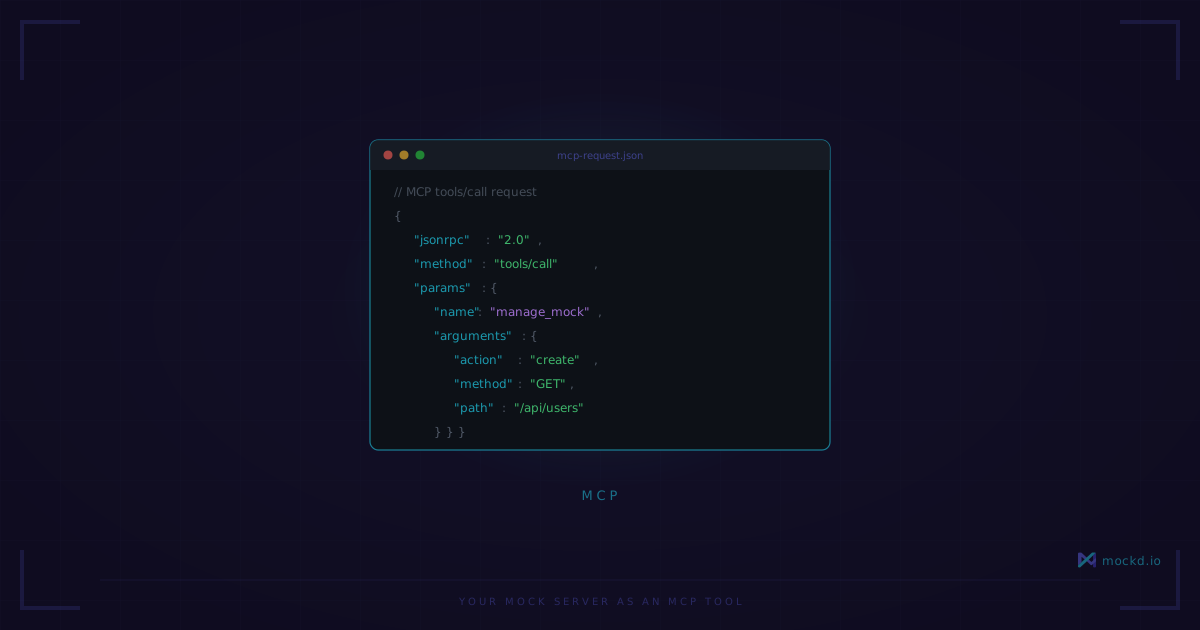
The agent’s first move isn’t writing application code. It calls manage_mock to create the Stripe endpoints it knows it’ll need:
POST /v1/charges→ returns a charge object withstatus: "succeeded"POST /v1/refunds→ returns a refund objectGET /v1/charges/:id→ returns charge detailsPOST /webhook→ a local endpoint for receiving Stripe events
Each mock returns realistic response structures — the agent knows what Stripe responses look like and configures the mocks accordingly.
Then it writes the application code. The payment service, the webhook handler, the refund logic. But here’s the key difference: it can test every function as it writes it. The code hits http://localhost:4280/v1/charges, gets back a real HTTP response with a real JSON body, and the agent can verify the code actually works.
After writing the code, the agent calls verify_mock to check that the right endpoints were called the expected number of times. It calls get_mock_invocations to inspect the exact request bodies its code sent. It finds a bug — the refund handler is sending charge_id instead of charge in the request body — fixes it, and tests again.
Then it pushes further. It calls set_chaos_config to inject intermittent 500 errors on the charge endpoint, reruns the payment flow, and discovers the retry logic doesn’t handle idempotency keys correctly. It fixes that too.
The agent just completed a development loop that would normally require you to set up a Stripe test account, manage API keys, deal with rate limits, and manually inspect webhook payloads. Instead, it did the whole thing itself in a few minutes.
The tools that matter most
mockd exposes 18 MCP tools total. You don’t need to memorize them — the agent discovers them automatically through the MCP protocol. But these are the ones that get used constantly:
manage_mock — The workhorse. Create, list, get, update, delete, and toggle mock endpoints. This is how the agent builds out the API surface it needs.
verify_mock — Assert that a mock was called a specific number of times. The agent uses this to confirm its code is actually making the requests it should be.
get_mock_invocations — Retrieve the full request details for every call that hit a specific mock — headers, body, query parameters, timestamps. This is how the agent debugs what its code is actually sending.
get_request_logs — View all traffic that hit the mock server, not just matched requests. Useful when the agent’s code is calling an endpoint that doesn’t have a mock yet.
set_chaos_config — Inject latency, errors, and connection failures. The agent uses this to test its own error handling and retry logic.
manage_state — Create, read, update, and delete stateful resources. When the agent needs a mock that remembers data between requests — like a user record that persists after creation — this is how.
import_mocks — Import mock endpoints from an OpenAPI spec, Postman collection, or other formats. If the API the agent is integrating with has a spec, this bootstraps the entire mock surface in one call.
Resources: read-only context for the agent
Beyond tools, mockd also exposes MCP resources — read-only data the agent can access for context. There are 5 static resource URIs (mock://config, mock://mocks, mock://logs, mock://state, mock://chaos) and 8 dynamic resource patterns for drilling into specific mocks, invocations, and state entries.
In practice, the agent uses resources to understand the current state of the mock server before making changes. It reads mock://mocks to see what’s already configured, checks mock://logs to see recent traffic, and uses that context to make informed decisions about what to create or modify next.
Why this changes the development loop
The fundamental shift is that your AI agent can now iterate on code and its test environment simultaneously. It’s not writing code in a vacuum and hoping it works when it hits a real service. It’s running a full development loop — write, test, inspect, fix, test again — with a real HTTP server returning real responses.
No rate limits. No API keys. No cost per request. No dependency on staging environments that might be down. No “works on my machine but I can’t test the integration” gaps.
The agent gets real HTTP responses, not simulated ones. The code it writes has been tested against actual network calls. When you review the PR, the integration code has already been through dozens of iteration cycles against a mock that behaves like the real thing.
That’s the gap I kept running into, and it’s the gap that disappears when your agent has a mock server it controls.
What to know
The MCP transport is stdio only right now — local use. There’s no remote or SSE transport, so this is a “your machine, your agent” setup. If you’re hoping to share a mock server across a team via MCP, that’s not how it works yet. The agent also can’t change server configuration through MCP. It can create and manage mocks all day, but things like port numbers, TLS settings, and server-level config still require CLI flags or a config file. That’s a deliberate boundary, not an oversight.
MCP tool responses can get chatty. If your agent has a small context window and you’ve got fifty mocks configured, calling manage_mock with action: "list" is going to eat a chunk of that context. Something to keep in mind if you’re working with a constrained model. Trim your mocks or use targeted get calls instead of listing everything.
One more thing: mockd mcp auto-starts a background daemon, which is convenient right up until you forget it’s running. The daemon doesn’t shut down when the MCP session ends. You’ll want to run mockd stop when you’re done, or you’ll find port 4280 still occupied next time you try to start something else there. Ask me how I know.
Get started
Install mockd, add the MCP config to your agent, and point it at a project that talks to external APIs. The agent will figure out the rest.
# Install mockd
curl -fsSL https://get.mockd.io | sh

# Start mockd — the MCP server auto-connects to this
mockd start
For detailed setup instructions, tool reference, and advanced configuration:
- MCP Server Guide — Setup, tool reference, and resource URIs for all 18 MCP tools
- Why AI Agents Need Mock Servers — The broader case for mock infrastructure in AI development
Try mockd
Multi-protocol API mock server. HTTP, gRPC, GraphQL, WebSocket, MQTT, SSE, SOAP.