
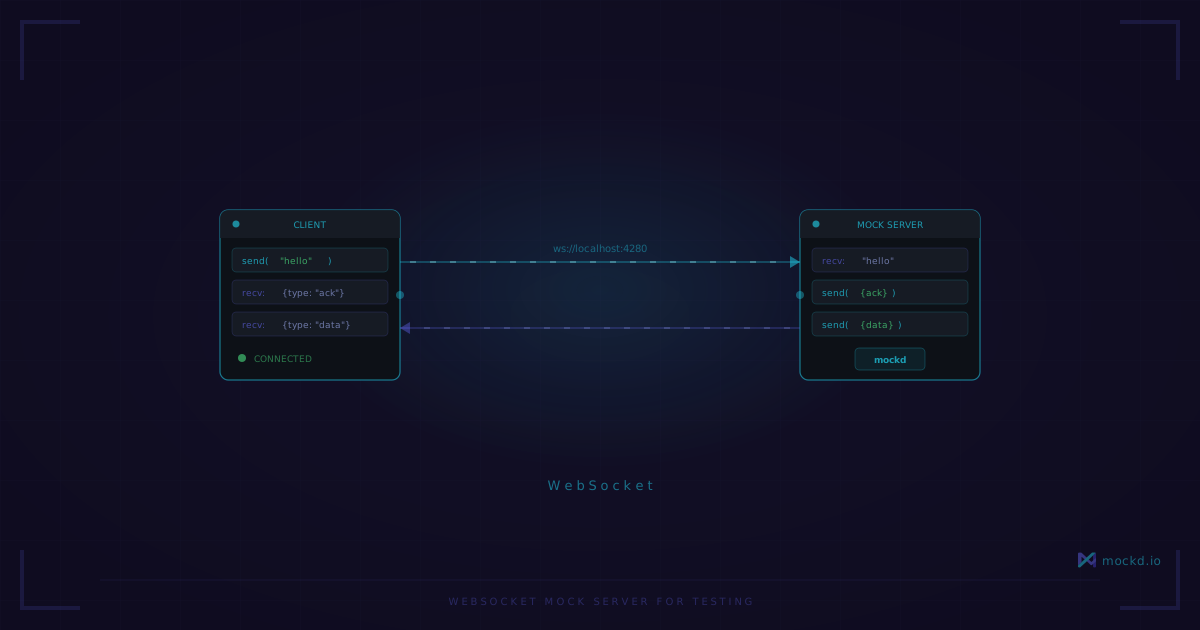
WebSocket Mock Server for Testing — No Code Required
Spin up a configurable WebSocket mock server in one command. Echo mode, JSON message matching, multiple endpoints. No Node.js server to write or maintain.
Every time I need to test WebSocket client code, the same question comes up: what do I connect to?
The options aren’t great. You can write a small Node.js server with ws. You can use a public echo server like echo.websocket.org (which went offline a while back — RIP). You can mock the WebSocket constructor in your test framework, but then you’re not really testing the connection handling.
What I wanted was something like a mock HTTP server, but for WebSocket. Define a path, define what messages come back, run it. That’s what mockd does.
Echo server in one command
mockd add websocket --path /ws/echo --echoThat starts a WebSocket server on ws://localhost:4280/ws/echo in echo mode — whatever you send, it sends back. Test it with any WebSocket client:
# wscat (npm install -g wscat)
wscat -c ws://localhost:4280/ws/echo
> hello
< hello
> {"type": "test"}
< {"type": "test"}
Or from Python:
import asyncio
import websockets

async def main():
    async with websockets.connect("ws://localhost:4280/ws/echo") as ws:
        await ws.send("hello")
        print(await ws.recv())  # "hello"

asyncio.run(main())
Or from JavaScript:
const ws = new WebSocket("ws://localhost:4280/ws/echo");
ws.onmessage = (e) => console.log("Received:", e.data);
ws.onopen = () => ws.send("hello");
Message matching
Echo mode is fine for smoke tests, but real testing needs specific responses to specific messages. That’s where matchers come in:
# mockd.yaml
version: "1.0"

mocks:
  - name: Chat Server
    type: websocket
    websocket:
      path: /ws/chat
      matchers:
        - match:
            type: exact
            value: "ping"
          response:
            type: text
            value: "pong"
        - match:
            type: json
            path: "$.type"
            value: "subscribe"
          response:
            type: json
            value:
              type: subscribed
              channel: alerts
      defaultResponse:
        type: text
        value: "unknown command"
mockd serve --config mockd.yamlNow your WebSocket server responds intelligently:
- Send
"ping"→ receive"pong" - Send
{"type": "subscribe", "channel": "alerts"}→ receive{"channel":"alerts","type":"subscribed"} - Send anything else → receive
"unknown command"
The JSON matcher uses JSONPath expressions. $.type means “the type field at the root of the JSON message.” You can match on nested fields too — $.user.role, $.items[0].id, etc.
Why not just write a test server?
You totally can. Here’s the Node.js version:
const { WebSocketServer } = require("ws");
const wss = new WebSocketServer({ port: 8080 });

wss.on("connection", (ws) => {
  ws.on("message", (data) => {
    const msg = data.toString();
    if (msg === "ping") {
      ws.send("pong");
    } else {
      try {
        const json = JSON.parse(msg);
        if (json.type === "subscribe") {
          ws.send(JSON.stringify({ type: "subscribed", channel: json.channel }));
        }
      } catch {
        ws.send("unknown command");
      }
    }
  });
});
That’s about 20 lines, and it only handles one test scenario. When you need five different WebSocket endpoints for an integration test — a chat server, a notification stream, a real-time dashboard feed — the test server files start piling up. And they have to be maintained alongside the tests.
With mockd, the entire configuration is declarative. You add endpoints, change responses, and adjust matching rules without writing code.
Multiple endpoints
One mockd server handles multiple WebSocket paths:
version: "1.0"

mocks:
  - name: Chat
    type: websocket
    websocket:
      path: /ws/chat
      echoMode: true
      matchers:
        - match: { type: exact, value: "ping" }
          response: { type: text, value: "pong" }

  - name: Notifications
    type: websocket
    websocket:
      path: /ws/notifications
      matchers:
        - match: { type: json, path: "$.type", value: "subscribe" }
          response:
            type: json
            value: { type: ack, status: subscribed }
      defaultResponse:
        type: json
        value: { type: error, message: "send a subscribe message first" }
Both endpoints are live on the same server. Your frontend connects to /ws/chat and /ws/notifications on the same host — just like it would in production.
CI integration
Start mockd in your CI pipeline, run your WebSocket tests, done:
# Start in background
mockd serve --config mockd.yaml --detach

# Run frontend tests
npm test

# Cleanup
mockd stop
Or with Docker Compose — useful when your tests run in a container:
services:
  mockd:
    image: ghcr.io/getmockd/mockd:latest
    volumes:
      - ./mockd.yaml:/config/mockd.yaml
    command: ["serve", "--config", "/config/mockd.yaml", "--no-auth"]
    ports:
      - "4280:4280"

  tests:
    build: .
    depends_on:
      mockd:
        condition: service_healthy
    environment:
      WS_URL: ws://mockd:4280/ws/chat
What you don’t get
mockd’s WebSocket mock is a server-side mock. It doesn’t:
- Simulate network disconnections or latency mid-stream (though you can add latency to the initial connection with
--delay) - Run in the browser as a client-side mock (for that, look at
jest-websocket-mockor MSW) - Support WebSocket subprotocol negotiation in matchers (the connection accepts any subprotocol, but matching is on message content only)
If you need a WebSocket server that responds to messages with configurable rules and doesn’t require writing code, mockd is the shortest path I’ve found.
Something missing that you need? Open an issue — the roadmap is driven by real use cases. And if this saved you from writing a test server, a star on GitHub goes a long way.
Learn more
- WebSocket protocol overview — all WebSocket mocking features including echo mode, matchers, and multiple endpoints
- Mockd vs MSW — MSW doesn’t support WebSocket. Mockd does, natively.
- Mockd vs Postman — Postman mock servers are HTTP-only. Mockd handles WebSocket, gRPC, MQTT, and more.
- All 7 supported protocols — HTTP, gRPC, GraphQL, WebSocket, MQTT, SSE, SOAP
Links
- GitHub: github.com/getmockd/mockd (Apache 2.0)
- WebSocket docs: docs.mockd.io/protocols/websocket
- Install:
brew install getmockd/tap/mockdorcurl -fsSL https://get.mockd.io | sh
Try mockd
Multi-protocol API mock server. HTTP, gRPC, GraphQL, WebSocket, MQTT, SSE, SOAP.