
MQTT Mock Broker for IoT Testing
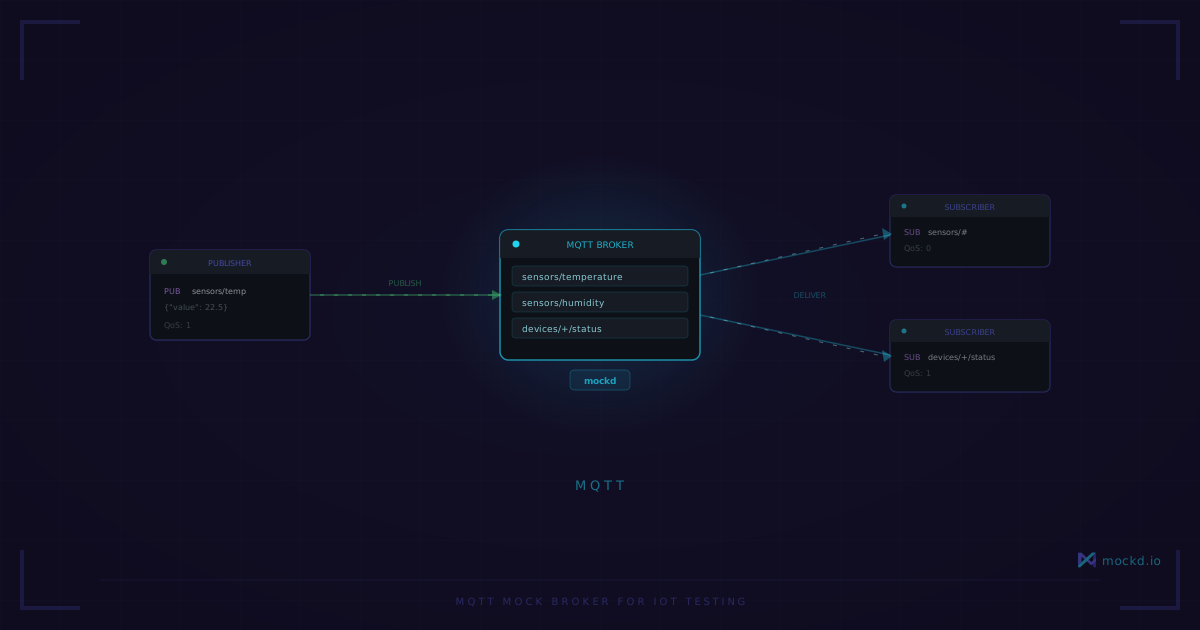
A mock MQTT broker with topic patterns, QoS, wildcard subscriptions, and auto-publishing. One command to start, no Mosquitto config needed. Built for integration tests.
If you’ve ever worked on an IoT project, you’ve probably had this conversation:
“How do I test the MQTT client?” “Run Mosquitto locally.” “But I need specific messages on specific topics.” “Write a script that publishes test data.” “But some topics need wildcard matching, and the QoS has to be right, and—” “Just test against the staging broker.” ”…”
Testing MQTT clients is weirdly hard. Not because MQTT is complicated — the protocol itself is elegant. But the tooling assumes you’re either running a full broker (Mosquitto, HiveMQ, EMQX) or you’re mocking the MQTT library itself in unit tests. The middle ground — “I need a broker that responds with predictable data for integration tests” — barely exists.
I built MQTT support into mockd specifically for this. As far as I can tell, no other mock server tool supports MQTT natively.
Quick start
mockd add mqtt
  --topic "sensors/temperature"
  --payload '{"temp": 72, "unit": "F"}'
That creates an MQTT broker on port 1883 with a topic that has a predefined message. Connect with any MQTT client:
# Subscribe (in one terminal)
mosquitto_sub -h localhost -p 1883 -t "sensors/temperature" -v

# Publish (in another terminal)
mosquitto_pub -h localhost -p 1883 -t "sensors/temperature"
  -m '{"temp": 99, "unit": "F"}'
The subscriber sees the published message immediately. The broker accepts connections, handles subscriptions, and routes messages between clients — just like Mosquitto would.
What you actually need for testing
The one-liner above is fine for checking that your MQTT client can connect. But real testing needs more:
# mockd.yaml
version: "1.0"

mocks:
  - name: IoT MQTT Broker
    type: mqtt
    mqtt:
      port: 1883
      topics:
        - topic: sensors/temperature
          qos: 1
          messages:
            - payload: '{"deviceId": "temp_001", "value": 72, "unit": "celsius"}'
        - topic: sensors/humidity
          qos: 1
          messages:
            - payload: '{"deviceId": "humid_001", "value": 45, "unit": "percent"}'
        - topic: devices/status
          qos: 1
          messages:
            - payload: '{"deviceId": "gateway_001", "status": "online"}'
mockd serve --config mockd.yamlNow you have a broker with three topics, each with predefined payloads. Your IoT application connects, subscribes to sensors/#, and gets the messages it expects.
Wildcard topics
MQTT’s wildcard system (+ for single level, # for multi-level) works in the mock broker. You can subscribe to patterns:
# Subscribe to all sensor data
mosquitto_sub -h localhost -p 1883 -t "sensors/#" -v

# Subscribe to any device's temperature
mosquitto_sub -h localhost -p 1883 -t "sensors/+/temperature" -v
And you can define topics with wildcards in the config:
topics:
  - topic: sensors/+/data
    qos: 1
    messages:
      - payload: '{"reading": 42}'
Clients that publish to sensors/device1/data or sensors/device2/data will match this topic configuration.
Why not just use Mosquitto?
You can. And for production, you should. But for testing:
Mosquitto is a broker, not a mock. It routes messages between clients but doesn’t produce test data on its own. You still need a separate script to publish the messages your tests expect.
Mosquitto doesn’t do multi-protocol. If your IoT application also talks REST (for device registration) and WebSocket (for a dashboard), you need three separate tools. With mockd, you put HTTP, WebSocket, and MQTT mocks in the same config file:
mocks:
  # REST API for device registration
  - name: Device API
    type: http
    http:
      matcher: { method: POST, path: /api/devices }
      response:
        statusCode: 201
        body: '{"id": "device_001", "registered": true}'

  # MQTT broker for telemetry
  - name: IoT Broker
    type: mqtt
    mqtt:
      port: 1883
      topics:
        - topic: sensors/temperature
          messages:
            - payload: '{"temp": 72}'

  # WebSocket for live dashboard
  - name: Dashboard Feed
    type: websocket
    websocket:
      path: /ws/dashboard
      echoMode: true
One config file. One server process. Three protocols.
Testing with dynamic data
mockd has template functions that generate realistic fake data. Useful for simulating varied sensor readings:
topics:
  - topic: sensors/temperature
    qos: 1
    messages:
      - payload: |
          {
            "deviceId": "temp_001",
            "value": {{random.int 18 28}},
            "unit": "celsius",
            "timestamp": "{{now}}"
          }
        repeat: true
        interval: "5s"
{{random.int 18 28}} produces a random integer between 18 and 28. {{now}} inserts the current ISO-8601 timestamp. The repeat: true and interval fields make the broker auto-publish on a schedule — each message gets fresh random values.
CI setup
Same pattern as any other mockd protocol — start in background, run tests, stop:
mockd serve --config mockd.yaml --detach

# Run your IoT application tests
pytest tests/

mockd stop
Docker Compose works too:
services:
  mockd:
    image: ghcr.io/getmockd/mockd:latest
    volumes:
      - ./mockd.yaml:/config/mockd.yaml
    command: ["serve", "--config", "/config/mockd.yaml", "--no-auth"]
    ports:
      - "1883:1883"
      - "4280:4280"

  tests:
    build: .
    depends_on:
      mockd:
        condition: service_healthy
    environment:
      MQTT_BROKER: mockd
      MQTT_PORT: "1883"
Limitations
The mock broker is not a production MQTT implementation. Some things to know:
- QoS 2 (exactly once) is accepted but behaves like QoS 1. The broker acknowledges QoS 2 handshakes, but the delivery guarantee is effectively at-least-once. Fine for testing, not for production.
- No persistent sessions across restarts. When mockd stops, subscriptions are gone. This is intentional — test state should be clean between runs.
- No TLS on the MQTT port. The broker listens on plain TCP. If you need encrypted MQTT for testing, put it behind a TLS proxy.
For integration testing — which is what a mock broker is for — none of these matter. Your tests need a broker that connects, routes messages, and supports the topic patterns your application uses. That’s what this does.
If you’re hitting a wall with something that’s not supported, open an issue. MQTT mocking is pretty uncharted territory — your use case probably helps shape what comes next. And if this saved you from wiring up Mosquitto scripts, a star on GitHub helps other IoT developers find it.
Learn more
- MQTT protocol overview — all MQTT mocking features including wildcard topics, QoS, and auto-publishing
- Mockd vs Microcks — Microcks supports MQTT but requires Kubernetes and a JVM. Mockd is a single binary.
- Mockd vs Postman — Postman doesn’t support MQTT at all. Mockd does, natively.
- All 7 supported protocols — HTTP, gRPC, GraphQL, WebSocket, MQTT, SSE, SOAP
Links
- GitHub: github.com/getmockd/mockd (Apache 2.0)
- MQTT docs: docs.mockd.io/protocols/mqtt
- Install:
brew install getmockd/tap/mockdorcurl -fsSL https://get.mockd.io | sh
Try mockd
Multi-protocol API mock server. HTTP, gRPC, GraphQL, WebSocket, MQTT, SSE, SOAP.