
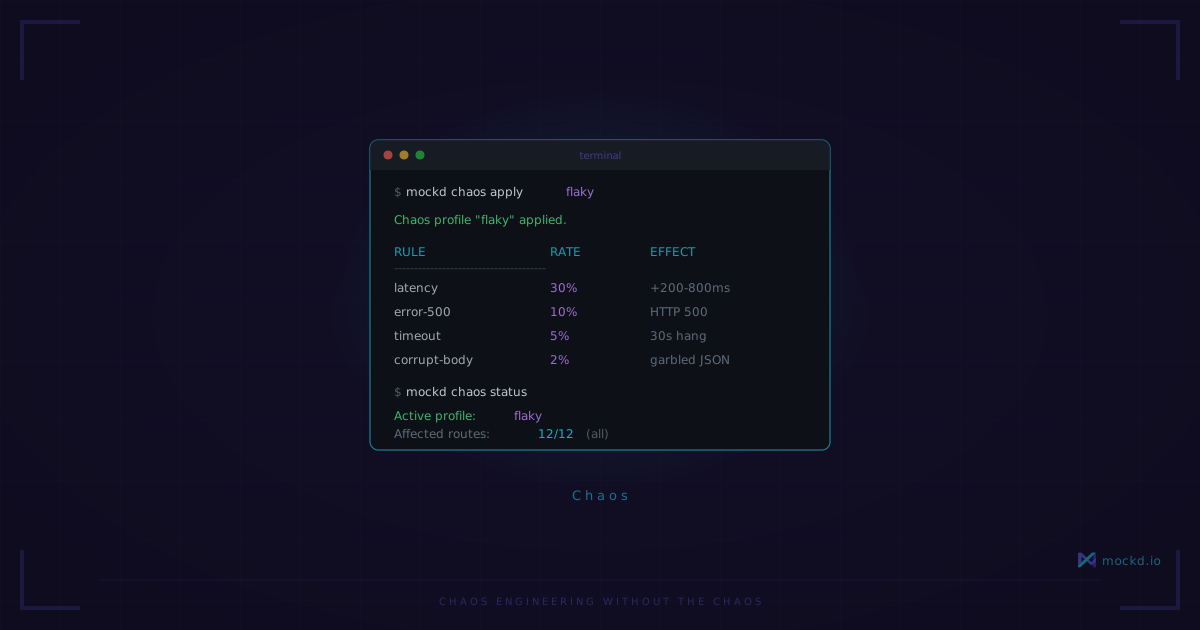
Chaos Engineering Without the Chaos
You don't need Toxiproxy, Gremlin, or a distributed systems PhD to test how your app handles failure. One CLI flag is enough.
Every conference talk about chaos engineering makes it sound so reasonable. “Just inject failures in production! Discover weaknesses before your users do!” The audience nods. Then they go back to work and nothing happens.
I get it. I’ve been that person in the audience. The gap between “we should test failure paths” and actually doing it is enormous. Toxiproxy needs a proxy layer in front of every service. Gremlin costs real money and needs agents running in your infrastructure. Rolling your own middleware means maintaining custom failure injection code forever. Most teams look at the setup cost, file it under “someday,” and keep shipping code that’s never seen a 503.
The result: your app handles the happy path beautifully and falls apart the first time a downstream service hiccups.
One flag
What if chaos engineering was this:
mockd serve --chaos-profile flakyThat’s it. Your mock server now fails 30% of the time. Your frontend, your mobile app, your microservice — whatever is pointed at localhost:4280 — is suddenly dealing with the real world. No proxy layer. No sidecar. No YAML files longer than your component code.
Want to stop? Disable it at runtime without restarting anything:
mockd chaos disableOr switch profiles on the fly:
mockd chaos apply slow-apiThe chaos config applies globally to all mock responses. Every endpoint you’ve configured in mockd will be affected — which is exactly what you want. Real service degradation doesn’t politely limit itself to one endpoint.
10 built-in chaos profiles
Profiles are pre-built combinations of fault rules that simulate real-world conditions. Pick one and go:
| Profile | What it does |
|---|---|
slow-api | 500–2000ms latency on every response |
degraded | 200–800ms latency + 5% error rate |
flaky | 20% of requests return 500/502/503 errors |
offline | 100% 503 errors — service is down |
timeout | 30-second delays — your loading spinners will thank you |
rate-limited | 30% of requests get 429 Too Many Requests |
mobile-3g | 300–800ms latency + 2% errors, simulating real mobile conditions |
satellite | 600–2000ms latency + 5% errors — for the “our customer is on a cruise ship” scenario |
dns-flaky | 10% intermittent 503 errors, like real DNS resolution failures |
overloaded | 1–5 second latency + 15% errors + bandwidth throttling |
The overloaded profile is my favorite for demos. Point your app at it, start clicking around, and watch your UI grind to a halt — 1–5 second response times plus 15% of requests failing outright, with bandwidth throttling on top. It’s exactly what happens when a service starts running out of memory or connections. Most apps handle the “everything is down” case fine. It’s the “everything is slow and partially broken” case that reveals the real bugs.
Custom chaos rules
Profiles are convenient, but sometimes you need specific behavior. The CLI lets you combine latency and error injection directly:
mockd chaos enable --latency 100ms-500ms --error-rate 0.1 --error-code 503Or go deeper with the Admin API and define per-path fault rules — like a circuit breaker on your payment endpoint that trips after 5 failures:
curl -X PUT http://localhost:4290/chaos -H 'Content-Type: application/json' -d '{
  "enabled": true,
  "rules": [{
    "pathPattern": "/api/payments/.*",
    "faults": [{
      "type": "circuit_breaker",
      "probability": 1.0,
      "circuitBreaker": {
        "failureThreshold": 5,
        "recoveryTimeout": "30s",
        "halfOpenRequests": 2,
        "tripStatusCode": 503
      }
    }]
  }]
}'
The rules array lets you scope faults to specific URL patterns and stack multiple fault types on the same path. The global CLI flags are simpler; the API gives you the full power.
12 fault types
Mockd ships with 12 fault types total. Eight are stateless — they apply independently to each request:
- latency — Add random delay within a range
- error — Return error status codes
- timeout — Extreme delays that trigger client timeouts
- corrupt_body — Mangle the response body
- empty_response — Return a 200 with no body (the sneakiest one)
- slow_body — Drip-feed the response bytes at a crawl
- connection_reset — Drop the connection mid-response
- partial_response — Truncate the response body at a random point
These cover the basics. But the real differentiator is the other four.
Stateful faults — the thing nobody else has
Most chaos tools treat every request in isolation. Flip a coin, maybe fail, done. Real systems don’t work like that. Real failures have state. A circuit breaker trips after repeated failures. A rate limiter tracks request counts over a window. A memory leak gets worse over time. These aren’t random — they’re sequential, and they’re the failure modes that actually break production systems.
Mockd’s four stateful fault types maintain state across requests:
Circuit breaker
A full CLOSED → OPEN → HALF_OPEN state machine. Configure a failure threshold, and the circuit breaker trips after that many errors — just like a real one would.
curl http://localhost:4280/api/payments
# 200 OK — circuit CLOSED

# (after repeated failures...)
curl http://localhost:4280/api/payments
# 503 Service Unavailable
# Retry-After: 30
# X-Circuit-State: OPEN
The Retry-After and X-Circuit-State headers are included automatically. Your retry logic can read them. Your monitoring dashboards can track them. This is how real services behave when they implement circuit breakers — and if your client code doesn’t handle these headers, better to find out now.
You can trip or reset circuit breakers manually through the admin API on port 4290, which is useful for testing specific recovery scenarios.
Retry-after
Returns 429 or 503 responses with a proper Retry-After header, then automatically recovers after the specified window. This tests whether your HTTP client actually respects Retry-After or just hammers the server in a tight loop (you’d be surprised how many do).
Progressive degradation
Response times increase over N requests. First request: 50ms. Hundredth request: 2 seconds. Two-hundredth request: 8 seconds. This simulates a memory leak, connection pool exhaustion, or garbage collection pressure — the kind of slow-burn failure that doesn’t trigger alerts until it’s already affecting users.
Chunked dribble
The response body streams correctly, but with long inter-chunk delays. The HTTP status is 200, the headers look fine, the Content-Type is right — but the body takes 30 seconds to fully arrive. This breaks a surprising number of HTTP clients that set timeouts on the initial connection but not on body streaming.
These four stateful fault types are why I built chaos into mockd instead of telling people to use Toxiproxy. Toxiproxy is a great TCP proxy, but it doesn’t know about HTTP semantics. It can’t send a Retry-After header. It can’t implement a circuit breaker state machine. It can’t progressively degrade over a sequence of requests. Mockd operates at the application layer, so it can simulate application-layer failures — the ones that actually matter to your code.
Runtime control
Everything is controllable at runtime. No restarts. Apply chaos, test, disable, adjust — all while your app is connected:
# Apply a profile
mockd chaos apply rate-limited

# Check what's active
mockd chaos status

# Disable everything
mockd chaos disable
The admin API on port 4290 exposes the same controls over HTTP, so your test suite can enable specific chaos configurations per test case. And if you’re using mockd’s MCP server with an AI coding agent, three MCP tools handle chaos programmatically: set_chaos_config to apply fault rules, get_stateful_faults to inspect current state, and manage_circuit_breaker to trip or reset breakers. Your agent can set up failure scenarios, run tests against them, and verify resilience — all without human intervention.
Where this fits in your workflow
I’m not suggesting you replace a mature chaos engineering platform if you already have one. If you’re running Gremlin in production against real traffic with game days and runbooks, keep doing that.
But most teams aren’t there. Most teams have zero resilience testing. Their retry logic is untested. Their timeout configurations are guesses. Their error handling code has never executed outside of a unit test with a mocked HTTP client.
For those teams — which is most teams — the best chaos engineering tool is the one you’ll actually use. And you’re a lot more likely to use it when it’s:
mockd serve --chaos-profile degradedinstead of a week-long infrastructure project.
Try it
Install mockd:
brew install getmockd/tap/mockd
# or
curl -fsSL https://get.mockd.io | sh
Start a mock server with chaos enabled:
mockd start
mockd add http --method GET --path "/api/orders"
  --body '{"orders": [{"id": "{{uuid}}", "total": 42.99}]}'
mockd chaos apply flaky
Hit it a few times and watch the failures roll in:
for i in $(seq 1 10); do
  curl -s -o /dev/null -w "%{http_code}\n" http://localhost:4280/api/orders
done
Some 200s. Some 500s. That’s what your users experience. Now you can see it too.
The honest part
Chaos applies globally. There’s a --path flag that accepts a regex so you can scope faults to specific route patterns, but you can’t target individual mock IDs. If you need fault injection on exactly one mock and not its neighbors, you’ll need to get creative with your path regex — or restructure your mocks so they live on distinct paths.
The four stateful fault types (circuit breaker, progressive degradation, retry-after, chunked dribble) maintain their state in memory. That means when the server restarts, all state resets — the circuit breaker goes back to CLOSED, the progressive degradation counter drops to zero. For long-running soak tests this is fine, but don’t expect state to survive a mockd stop && mockd start. It won’t.
There are no network-layer faults here. No packet loss, no TCP RSTs, no connection refused before the TLS handshake. mockd operates at the HTTP layer — it can only mess with things after it has accepted the connection. If you need TCP-level chaos, Toxiproxy is the right tool for that and I’m not going to pretend otherwise. Also worth knowing: the overloaded profile ramps up over time by design, so if your test run is only a few seconds long, you might not see the full degradation curve. Give it a minute or two to really show its teeth.
Learn more
- Chaos engineering docs — Full reference for all 12 fault types and 10 profiles
- Stateful faults guide — Deep dive into circuit breakers, progressive degradation, and more
- GitHub — Apache 2.0, single binary, zero dependencies
Try mockd
Multi-protocol API mock server. HTTP, gRPC, GraphQL, WebSocket, MQTT, SSE, SOAP.